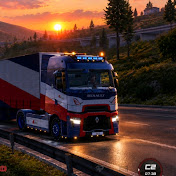
How To Fix Lag✅ In Truckers Of Europe 3 (Best Graphics Settings & Beginner Guide)🚛
POV TRUCKING
0:00 / 0:00
How To Fix Lag✅ In Truckers Of Europe 3 (Best Graphics Settings & Beginner Guide)🚛
43 просмотра · 6 дней назад
POV TRUCKING
6 подписчиков
43 просмотра · 6 дней назад
📌 VIDEO TIMESTAMPS:
0:00 - Introduction & Game Overview
0:23 - How to Level Up Quickly (Fast XP & Money)
2:24 - Ultimate Graphics Settings (Fix Lag & Smooth FPS)
5:52 - The Best Beginner Truck to Buy First
7:38 - Advanced Pro Tips & Tricks for Drivers
In this video, I will show you how to fix lag in Truckers of Europe 3 using the best graphics settings for smooth gameplay. This Truckers of Europe 3 beginner guide also covers the best starter truck to buy.
Not sure which truck is actually worth your hard-earned euros, or how to get started without crashing your cargo? I’ve got you covered!
In this comprehensive 10-minute masterclass, we break down everything a beginner needs to know to dominate the roads in TOE3. From hidden graphics settings that instantly boost your FPS to a complete breakdown of the best starter and high-end trucks, this video is your ultimate highway guide.
Stop stuttering, stop wasting money, and start trucking like a pro! 🛠️👑
💬 Drop a comment below: What truck are you currently driving, and did these settings help fix your lag?
🔔 If you found this guide helpful, don't forget to LIKE, SUBSCRIBE, and hit the notification bell for more Truckers of Europe 3 videos, tips and tricks!
Long realistic journey video @POV-Trucking
#TruckersOfEurope3 #TOE3 #TruckersOfEurope3Tips #TOE3LagFix #WandaSoftware #TruckSimulator #GamingTips #MobileGaming #AndroidGames #iOSGames #TruckGames #SimulationGames #HowToFixLag #besttruck #scaniatrucks
