Flow AI Se Free AI Presenter & Animated Video Kaise Banaye | Step-by-Step Tutorial 2026
Create With Ai
0:00 / 0:00
Flow AI Se Free AI Presenter & Animated Video Kaise Banaye | Step-by-Step Tutorial 2026
365 просмотров · 7 дней назад
Create With Ai
16 подписчиков
365 просмотров · 7 дней назад
Learn how to create realistic 3D AI video presenters, custom animated avatars, and long AI videos for FREE using Flow AI and Pinterest! In this full step-by-step masterclass for beginners, you will discover how to design stylish AI characters, generate realistic lip-synced voiceovers, and produce complete videos without paying for expensive tools like ElevenLabs.
Creating professional talking avatars and AI storytelling videos on YouTube is easier than ever. We walk you through downloading high-quality dress concepts from Pinterest, training custom character prompts on Flow AI, setting up studio backgrounds, generating video clips with voiceovers, and editing everything smoothly in Filmora.
📌 What You Will Learn in This Practical Masterclass:
How to source unique character clothing ideas using Pinterest
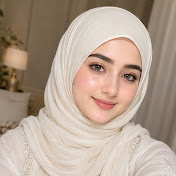
Designing consistent AI female avatars with custom outfits and hijab styles in Flow AI
Creating studio scene backgrounds (desk, laptop, studio setup) for AI presenters
Generating realistic AI voiceovers and lip-synced video clips directly inside Flow AI
Simple tricks to get unlimited free credits using multiple accounts
Merging video clips, adjusting audio volume, and final video editing in Filmora
Mastering these free AI creation techniques will help you launch faceless channels, produce YouTube tutorials, and scale your content creation effortlessly.
If you found this tutorial helpful, please LIKE, SHARE, and SUBSCRIBE to "Create With AI" for more practical AI video creation guides and creative workflow tutorials!
---
#CreateWithAI #FlowAI #AIPresenter #AIVideoGenerator #ChatGPT #Filmora #FreeAITools #AITutorial #HowToMakeAIVideos #TalkingAvatar
🔗 Flow AI:
https://labs.google/fx/tools/flow
