How to Use Restaurant & Bar Billing Module in LUPEA 10.2 PMS Hotel Software | Full Guide
lupea PMS
0:00 / 0:00
How to Use Restaurant & Bar Billing Module in LUPEA 10.2 PMS Hotel Software | Full Guide
8 просмотров · 5 дней назад
lupea PMS
2 подписчика
8 просмотров · 5 дней назад
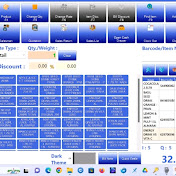
Master point-of-sale operations using the Restaurant & Bar Billing system in LUPEA 10.2 PMS! 🏨🍹🍛
In this tutorial, we demonstrate how to manage table seating, add localized food orders, process drink sales, and settle bills smoothly using a single dashboard interface.
⏱️ Video Timestamps:
0:00 - Overview of Restaurant/Bar Billing Dashboard
0:25 - Step 1: Managing the List of Tables & Table Seating Status
1:00 - Step 2: Adding Food Orders (Eba, Goat Meat, Afang Soup) to the Cart
2:10 - Step 3: Entering Liquor & Beverage Details (Star Beer, Chivita Exotic)
3:00 - Step 4: Setting Payment Modes, Managing KOTs, and Settling the Grand TotalKey Operations Covered in This Video:
Visual Table Mapping: How the dashboard color-codes active and vacant tables (e.g., T1 through T19) to manage waitlists and server assignments efficiently.
Dual-Category Cart Processing: Adding specific local food menus and individual volume rates/quantities for beverages simultaneously.
Order & POS Control: How to handle essential cashier shortcuts including Send KOT (Kitchen Order Ticket), Update KOT, and Settle Bill using payment methods like Debit Card or Cash.
If this video helped you optimize your hotel's point-of-sale workflow, please Like, Comment, and Subscribe for more LUPEA PMS training videos!
