How to make your 3D Scan to Cad ? Using my MetroX Pro
3D Scan-Reverse Engineering
0:00 / 0:00
How to make your 3D Scan to Cad ? Using my MetroX Pro
831 просмотр · 5 месяцев назад
3D Scan-Reverse Engineering
791 подписчик
831 просмотр · 5 месяцев назад
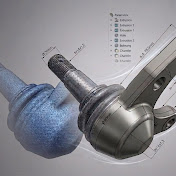
From 3D Scan to Perfect CAD: My Full MetroX & RevoDesign Workflow! 🚀
Intro:
In this video, I’m taking a physical part and bringing it into the digital world using high-precision reverse engineering. We start with a metrology-grade scan using the Revopoint MetroX and move into RevoDesign to reconstruct a clean, editable CAD model from the mesh data.
What you will learn in this video:
High-precision scanning with the MetroX Pro.
Importing and aligning scan data in RevoDesign.
Step-by-step Reverse Engineering (CAD reconstruction).
3D Scan Reverse Engineering group on Facebook
/ 1666231177371941
0:00 Intro & Project Overview
0:45 Setting up the Revopoint MetroX
1:30 Starting the 3D Scan: Cross Laser Mode
3:15 Scanning Fine Details (Parallel Laser)
5:00 Capturing the Bottom Side of the Part
7:10 Point Cloud Processing & Alignment
8:45 Cleaning the Mesh & Global Optimization
10:30 Exporting the STL to RevoDesign
11:50 Beginning the Reverse Engineering Process
13:15 Extracting Planes, Axes & Geometry
15:40 Sketching & Modeling the Main Body
17:10 Creating the Pattern for the Filter Holes
18:35 Final Deviation Analysis (Scan vs. CAD)
19:45 Conclusion & Final Result
#Revopoint #MetroX #RevoDesign #3DScanning #ReverseEngineering #CAD #Metrology #3DPrinting #MechanicalEngineering #ScanToCAD
