How to Use a Composite Monitor with a Commodore VIC-20
The Silicon Attic
0:00 / 0:00
How to Use a Composite Monitor with a Commodore VIC-20
447 просмотров · 3 года назад
The Silicon Attic
4 подписчика
447 просмотров · 3 года назад
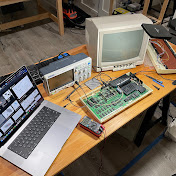
In this video, Jacob explains how to create a cable that allows you to connect a composite monitor to a Commodore VIC-20 computer using only an RCA cable.
Parts needed:
RCA Cable
Wire cutter/stripper
Multimeter
For a more permanent connection which also carries audio, Jacob recommends using a proper VIC-20 5-pin DIN to AV cable, which can be found on eBay.
Background: 0:00 - 1:26
Tools: 1:26 - 2:33
Modifying the cable: 2:33 - 5:01
Continuity testing: 5:01 - 6:54
Video connector pinout: 6:54 - 7:40
Connecting the computer: 7:40 - 9:05
Final result: 9:05 - 10:57
