Scan to ftp Using the KonicaMinolta FTP Utility
N Murphy KELCOM
0:00 / 0:00
Scan to ftp Using the KonicaMinolta FTP Utility
210 просмотров · 1 год назад
N Murphy KELCOM
2 подписчика
210 просмотров · 1 год назад
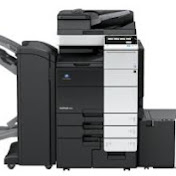
How to set up scan to PC Folder on a KonicaMinolta Bizhub using the KonicaMinolta FTP Utility.
1. Install the Utility on PC
2. Create a scan to folder
3. Configure ftp utility with user, password & destination folder
4. Note the PC ip address
5. Open MFP web browser
6. Create the FTP one Touch
7. Start the FTP Utility on PC
8. At the MFP select scan and the FTP Shortcut
