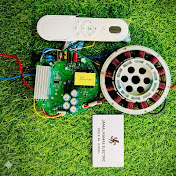
How to change wash machine timer connection timer Urdu hindi.
Jamal kamal electric 123
0:00 / 0:00
How to change wash machine timer connection timer Urdu hindi.
2 471 просмотр · 11 месяцев назад
Jamal kamal electric 123
756 подписчиков
2 471 просмотр · 11 месяцев назад
Here’s a step-by-step guide to change a washing machine timer safely:
---
🛠️ Tools You’ll Need
Screwdriver (Phillips or flat, as needed)
Pliers
Marker or masking tape (to mark wires)
A new compatible timer
Safety gloves (optional but recommended)
---
⚠️ Safety First
1. Unplug the washing machine from the wall socket.
2. Turn off the water supply if you need to move the machine.
3. Wear dry gloves and make sure the area is dry to avoid electric shock.
---
🔧 Removing the Old Timer
1. Access the control panel
Usually, you remove a few screws on the back or front of the top control panel.
Lift or tilt the panel to expose the timer.
2. Locate the timer
The timer is typically behind the cycle selector knob.
3. Remove the knob
Pull the cycle knob straight out.
Some models have a small screw or clip holding the knob—loosen it first if needed.
4. Disconnect the wires
Take a photo of the wiring or label each wire with tape before disconnecting.
Gently pull off the wire terminals using pliers (don’t yank the wires).
5. Unscrew the timer
The timer is usually held by 2–4 screws.
Carefully lift it out of the panel.
---
🔌 Installing the New Timer
1. Place the new timer in the same spot and secure it with screws.
2. Reconnect the wires according to your photo or labels.
3. Push the knob back onto the timer shaft.
4. Reassemble the control panel.
---
✅ Test the Machine
1. Plug the washing machine back in.
2. Run a short wash cycle to check if the timer advances properly.
---
Would you like me to provide a simple wiring diagram for the timer connection (e.g., for a 2-wire or 4-wire timer)?
. WhatsApp number.03460367420
