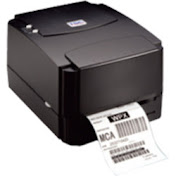
TSC TE 244 Barcode Label Page setup | How to print barcode from excel file with bartender
Hybrid Barcode Services Pvt. Ltd.
0:00 / 0:00
TSC TE 244 Barcode Label Page setup | How to print barcode from excel file with bartender
42 524 просмотра · 6 л. назад
Hybrid Barcode Services Pvt. Ltd.
3,63 тыс. подписчиков
42 524 просмотра · 6 л. назад
Step by step guide to link excel data file in bartender barcode software. There are 4 steps to link excel data file in bartender software.
Step 1.: Page setup and label designing: In 1st step you need to design label according to your need and page setup.
Step2: Prepare your new excel data file. If you already have data file ready you don't have create data file. you can use existing excel data file.
Step3: Linking data excel file. Please follow the instructions for linking.
Step 4: Once excel file is linked. now you need to close excel file before you start printing your barcode labels.
#howtosetuptscteBarcodelabelbartender, #Exceldatafilelinking, #Bartendersoftwarepagesetup, #barcodelabelsetup, #easybarcodeprintingTSCbarcodeprinter
