Autodesk Inventor Mold Design | Runner and Channel (Fan Guard)
Khairul Irfan
0:00 / 0:00
Autodesk Inventor Mold Design | Runner and Channel (Fan Guard)
26 просмотров · 5 дн. назад
Khairul Irfan
37 подписчиков
26 просмотров · 5 дн. назад
Welcome to Episode 14 of my CAD/CAM/CAE engineering portfolio series!
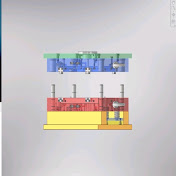
In this video, I continue advancing the Fan Guard mold design by integrating critical tooling components using Autodesk Inventor. This ongoing channel serves as a dedicated digital portfolio to showcase my practical skills and progression in mechanical design, tooling, and computer-aided engineering.
In this episode, I cover:
✅ Gate & Runner System Design
✅ Cooling Channels Layout & Optimization
---
📌 CREDITS & ACKNOWLEDGMENTS:
The reference concept and 3D plastic part workflow used in this project are inspired by @AlwisDesign. While the original tutorial was executed in SOLIDWORKS, this video demonstrates my implementation of the Runner, Cooling Channel, and Interlock workflow using Autodesk Inventor.
👉 Check out Alwis Design for more CAD tutorials:
/ @alwisdesign
---
🛠️ Software Used: Autodesk Inventor
🎯 Focus Area: Mold Design, Runner Systems, Cooling Channels
📁 Project: Fan Guard Injection Mold Tooling (Video #14)
Thank you for following my engineering portfolio journey! Feedback, technical suggestions, or discussions are always welcome in the comments section below.
#AutodeskInventor #MoldDesign #RunnerSystem #CoolingChannel #Interlocks #CADPortfolio #PlasticInjectionMoulding #MechanicalEngineering #ToolingDesign #EngineeringPortfolio
